Intergrating Cookie Control with the Shopify CMS Platform
06 August 2025
Civic Cookie Control is a flexible cookie consent tool that can easily replace Shopify's native banner for more customization and compliance options. While Shopify includes a built-in cookie solution, Civic allows for greater control over user consent and cookie categories.


How to add Cookie Control to Shopify CMS Platform
Step 1: Disable Shopify's native cookie banner
- Go to Settings > Customer Privacy in your Shopify dashboard
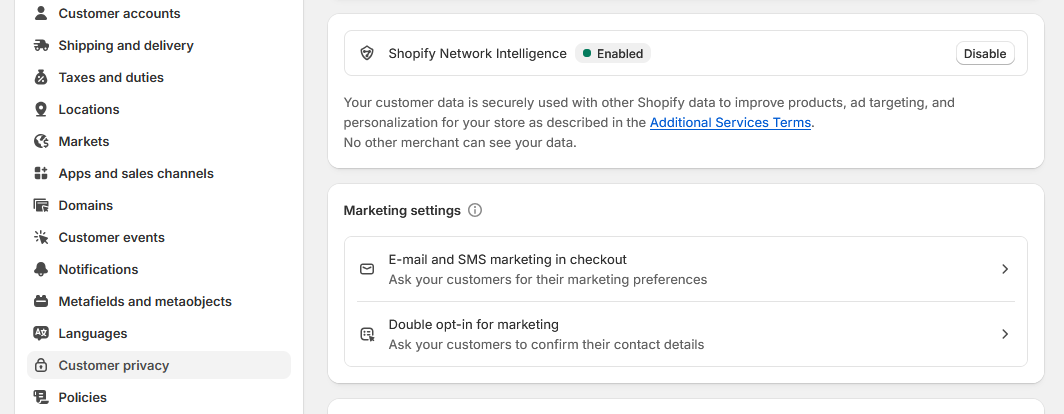
- Remove cookie banner
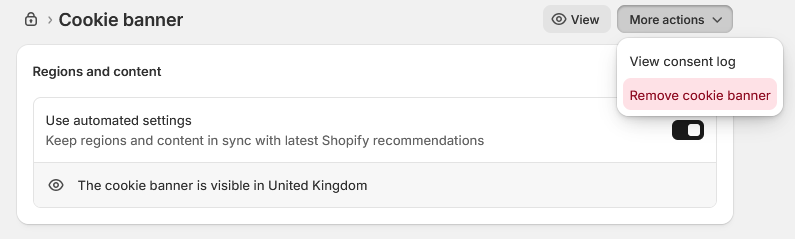
- Save your changes
Step 2: Add the Cookie Control script
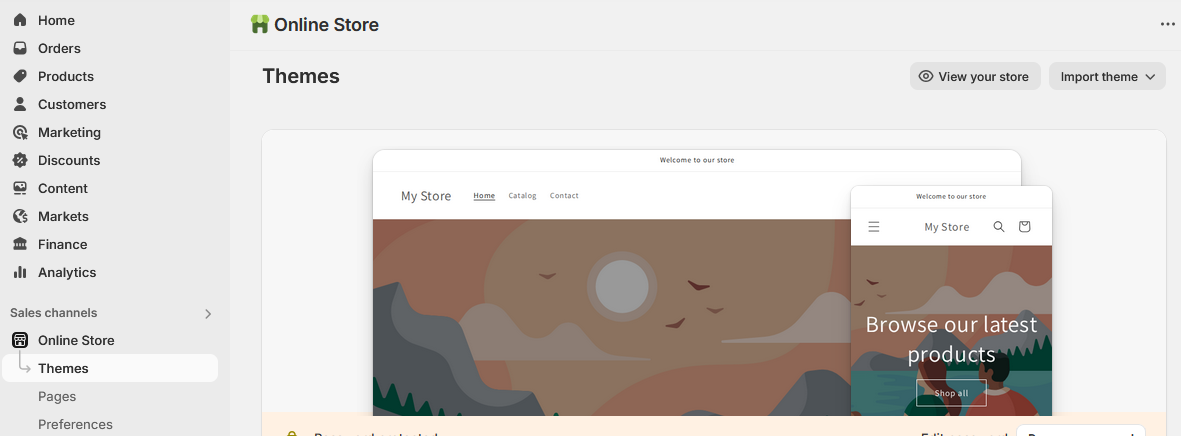
- Go to Online Store > Themes
- Go to three-dot menu > next to Customize and choose Edit Code
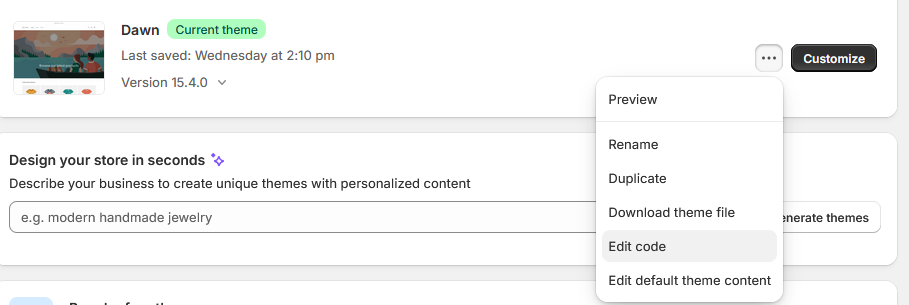
- Open the theme.liquid file

- Locate the closing </body> file
- Just before the page, past the following code:
-
<!-- Latest Stable Version of Cookie Control core script --> <script src="https://cc.cdn.civiccomputing.com/9/cookieControl-9.x.min.js" type="text/javascript"></script> -
<!-- Cookie Control configuration -->
<script>
  var config = {
    apiKey: 'xxxxxxxxxxxxxxxxxxxxxxxxxxxxxxxxxxxxxxxx',
    product: 'XXX'
  };
  CookieControl.load(config);
</script>
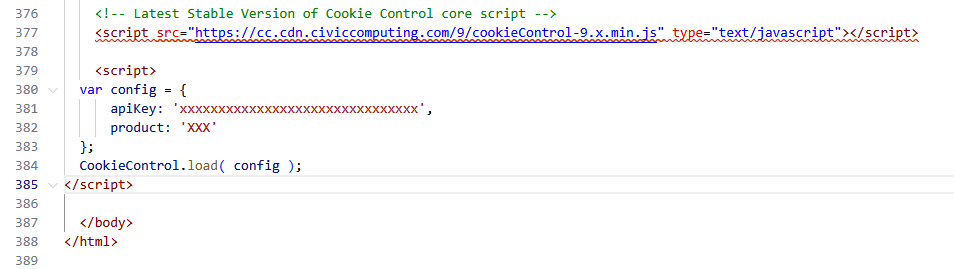
- Replace 'xxxxxxxxxxxx...' and 'xxx' with your licences API key and product type
Step 3: Save and verify
- Save the file
- Use the View your store button to preview changes and confirm the banner is displaying correctly.
Need help?
For full documentation on all configuration options, visit our documentation: Cookie Control Available Options
If you encounter any issues or need support, please contact us via our help page: Cookie Control Support