Integrating Microsoft Clarity with Consent Mode v2 & Cookie Control
25 October 2025
Microsoft Clarity now supports Consent Mode v2, giving you more control over how session recording and analytics behave depending on user choices. This guide explains how to integrate Clarity with Cookie Control so that Clarity only activates once the user has granted the required consent.


How to add Microsoft Clarity consent mode v2 with Cookie Control
Step 1: Creating a Microsoft Clarity Project
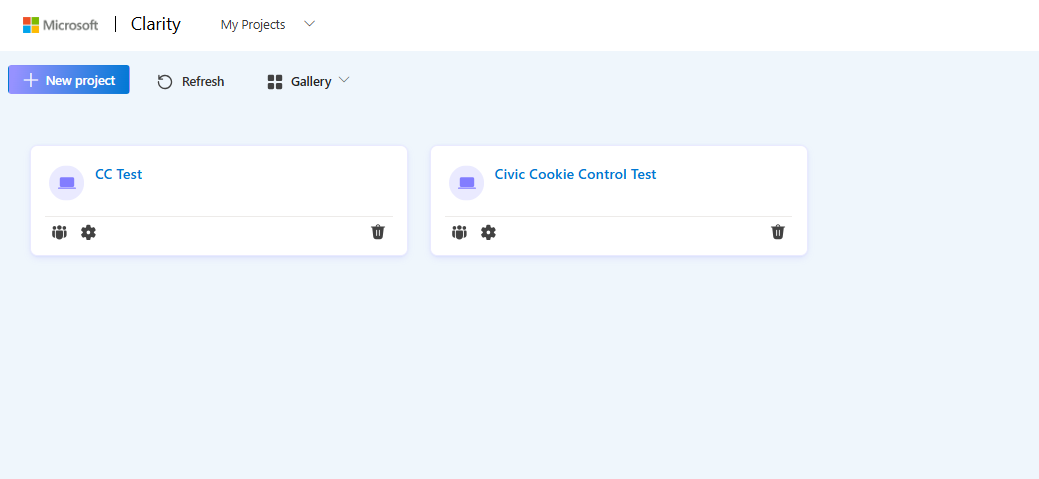
- Within the Microsoft Clarity User Area, navigate to My Projects and create a new project or choose an exisiting one.
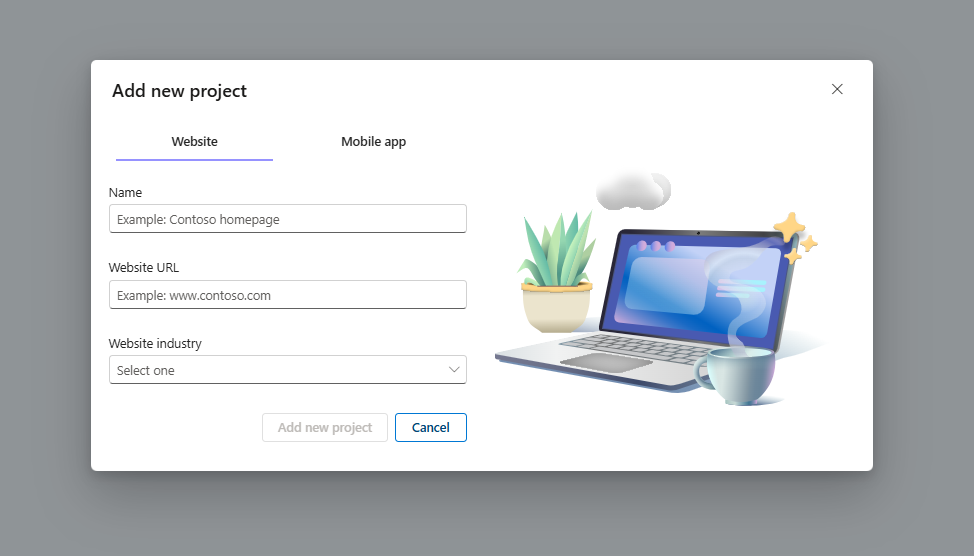
- If creating a new project fill in the details required ensuring the Website URL matches the site you wish to track
Step 2: Disable Cookie setting default
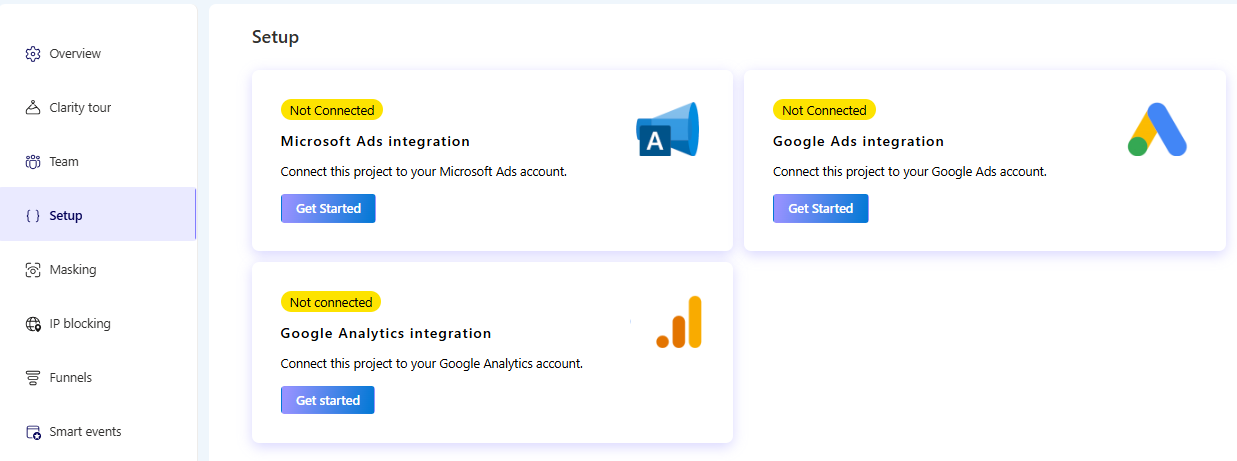
- Within the Microsoft Clarity User Area, navigate to Settings and select Setup from the side menu.
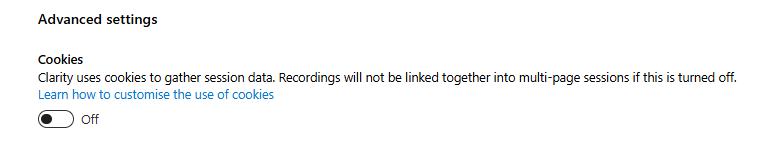
- Within the advanced setting, switch Cookies to Off. This will ensure that Cookies will not be set until the explicit consent has been granted.
Step 3: Integrating Microsoft Clarity with Consent Mode v2
- Within the Microsoft Clarity User Area, navigate to Settings and select Setup from the side menu.
- Use the View your store button to preview the changes and confirm the banner is displayed correctly.
- Select the Get Tracking Code from the Install manually option of the installation methods section.
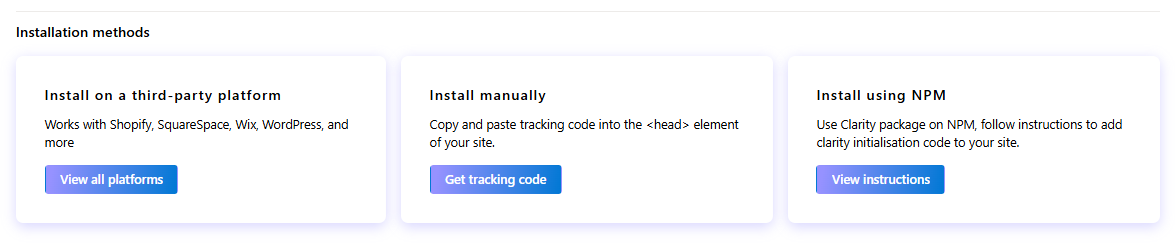
- Copy the script for manual installation
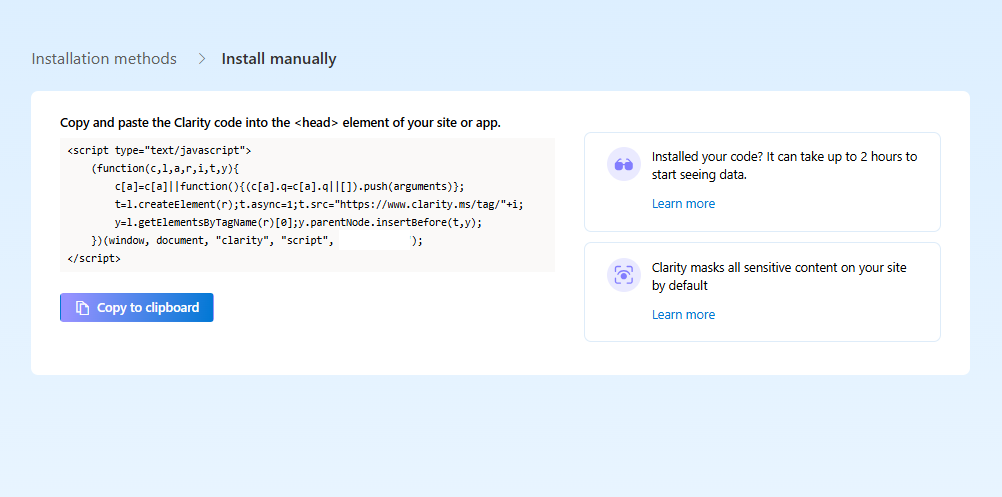
- Paste the copied script within the head of your webpage and update the initial consent of the clarity parameters to be denied
<script type="text/javascript">
(function (c, l, a, r, i, t, y) {
    c[a] =
    c[a] ||
    function () {
        (c[a].q = c[a].q || []).push(arguments);
    };
    t = l.createElement(r);
    t.async = 1;
    t.src = "https://www.clarity.ms/tag/XXXXXXX"; // your project ID
    y = l.getElementsByTagName(r)[0];
    y.parentNode.insertBefore(t, y);
})(window, document, "clarity", "script");

window.clarity('consentv2', {
    ad_Storage: "denied",
    analytics_Storage: "denied"
});
</script>
- Within your Cookie Control configuration object update the consent state of these parameters with the optional cookies handler functions.
{
  name: 'analytics',
  label: 'Analytical Cookies',
  description:
    'Analytical cookies help us to improve our website by collecting and reporting information on its usage.',
  onAccept: function () {
    window.clarity('consentv2', {
      analytics_Storage: "granted",
    });
  },
  onRevoke: function () {
    window.clarity('consentv2', {
      analytics_Storage: "denied",
    });
  }
},
{
  name: 'marketing',
  label: 'Marketing Cookies',
  description: 'We use marketing cookies to help us improve the relevancy of advertising campaigns you receive.',
  onAccept: function(){
    window.clarity('consentv2', {
      ad_Storage: "granted",
    });
  },
  onRevoke: function(){
    window.clarity('consentv2', {
      ad_Storage: "denied",
    });
  }
}
Need help?
If you encounter any issues or need support,please contact: Cookie Control Support
For full documentation and further guides, please visit our Cookie Control Documentation