
Microsoft Clarity Setup Guide
Microsoft Clarity now supports Consent Mode v2, giving you more control over how session recording and analytics behave depending on user choices. This guide explains how to integrate Clarity with Cookie Control so that Clarity only activates once the user has granted the required consent. You'll learn how to set the default consent state to denied and update consent dynamically using onAccept and onRevoke callbacks.
Anchor link for Creating a Microsoft Clarity Project
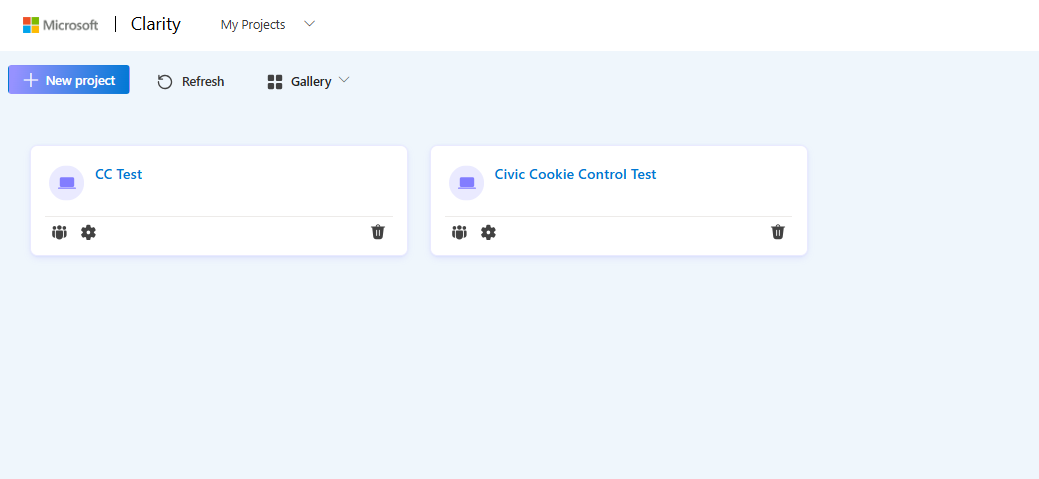
- Within the Microsoft Clarity User Area, navigate to 'My Projects' and create a new project or choose an existing one.
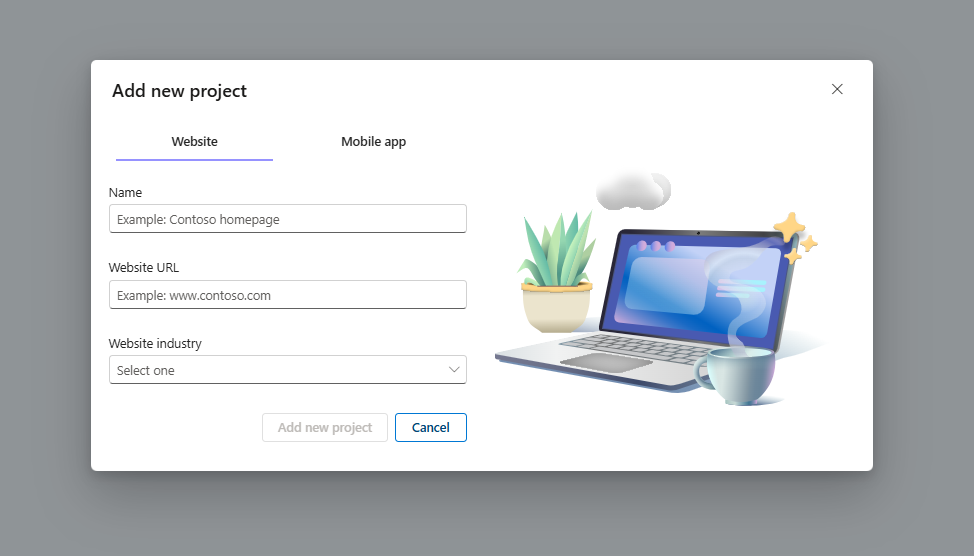
- If creating a new project fill in the details required ensuring the website URL matches the site you wish to track.
Anchor link for Disable Cookie Setting Default
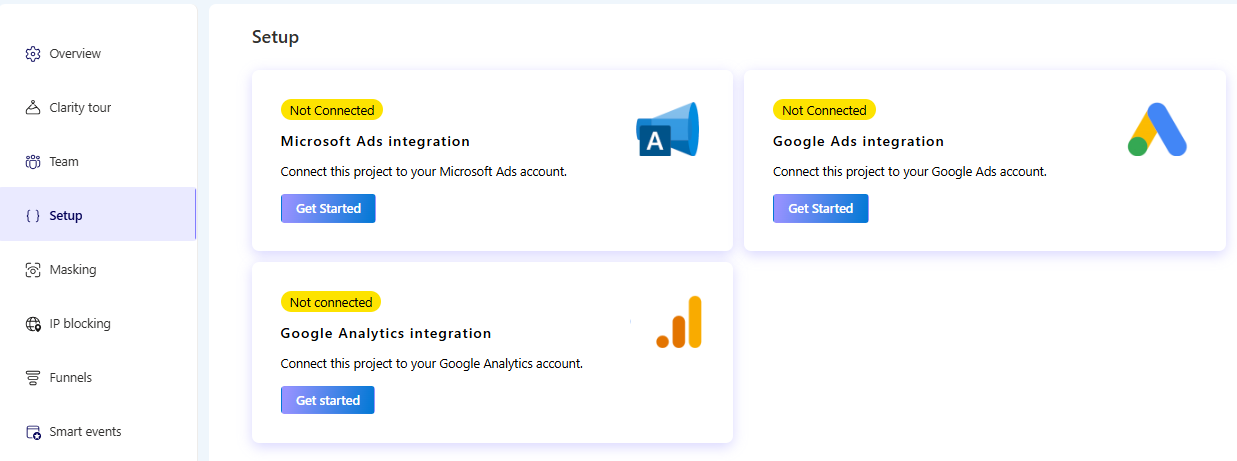
- Within the Microsoft Clarity User Area, navigate to 'Settings' and select 'Setup' from the side menu.
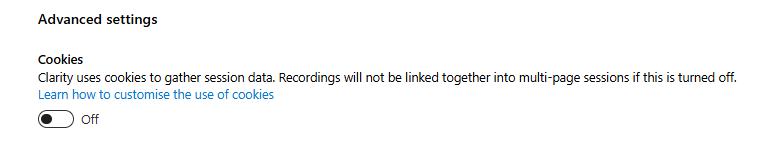
- Within the advanced settings, switch 'Cookies' to Off. This will ensure that Cookies will not be set until explicit consent has been granted.
Anchor link for Integrating Microsoft Clarity with Consent Mode v2
- Within the Microsoft Clarity User Area, navigate to 'Settings' and select 'Setup' from the side menu.
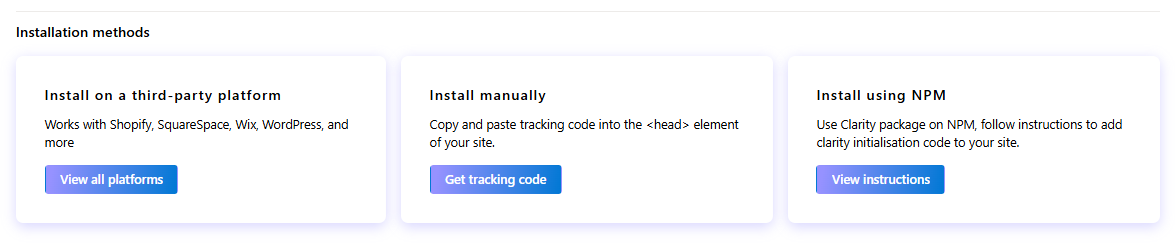
- Select 'Get Tracking Code' from the 'Install manually' option of the installation methods section.
- Copy the script for manual installation.
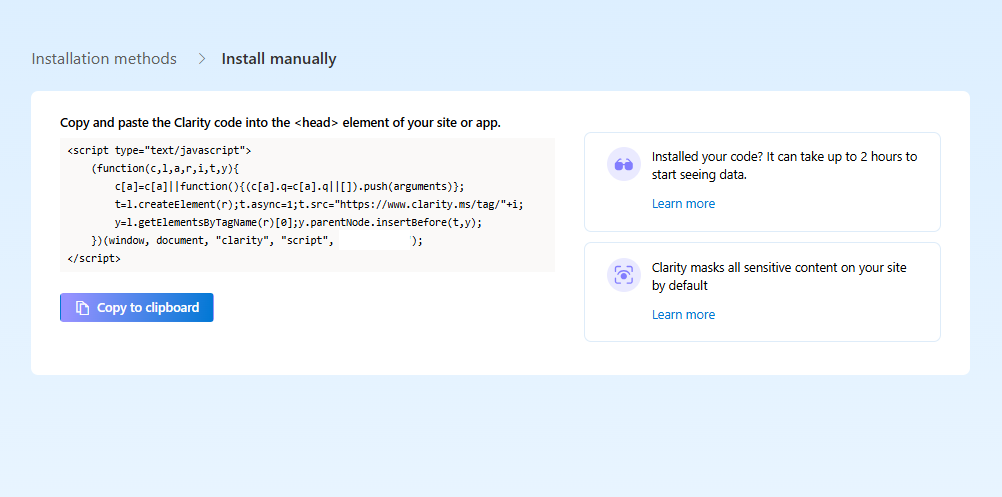
- Paste the copied script within the head of your webpage.
<script type="text/javascript"> (function (c, l, a, r, i, t, y) { c[a] = c[a] || function () { (c[a].q = c[a].q || []).push(arguments); }; t = l.createElement(r); t.async = 1; t.src = "https://www.clarity.ms/tag/XXXXXXX"; // your project ID y = l.getElementsByTagName(r)[0]; y.parentNode.insertBefore(t, y); })(window, document, "clarity", "script"); </script> - Set the initial consent state of the clarity consentv2 parameters to denied.
<script type="text/javascript"> (function (c, l, a, r, i, t, y) { c[a] = c[a] || function () { (c[a].q = c[a].q || []).push(arguments); }; t = l.createElement(r); t.async = 1; t.src = "https://www.clarity.ms/tag/XXXXXXX"; // your project ID y = l.getElementsByTagName(r)[0]; y.parentNode.insertBefore(t, y); })(window, document, "clarity", "script"); window.clarity('consentv2', { ad_Storage: "denied", analytics_Storage: "denied" }); </script> - Within your Cookie Control configuration object, update the onAccept and onRevoke functions for the related consent categories to include 'consent updates' for Clarity.
{ name: 'analytics', label: 'Analytical Cookies', description: 'Analytical cookies help us to improve our website by collecting and reporting information on its usage.', onAccept: function () { window.clarity('consentv2', { analytics_Storage: "granted" }); }, onRevoke: function () { window.clarity('consentv2', { analytics_Storage: "denied" }); }, }, { name: 'marketing', label: 'Marketing Cookies', description: 'We use marketing cookies to help us improve the relevancy of advertising campaigns you receive.', onAccept: function () { window.clarity('consentv2', { ad_Storage: "granted" }); }, onRevoke: function () { window.clarity('consentv2', { ad_Storage: "denied" }); } } - Install your updated configuration within your site's HTML and start tracking from the Microsoft Clarity User Area.